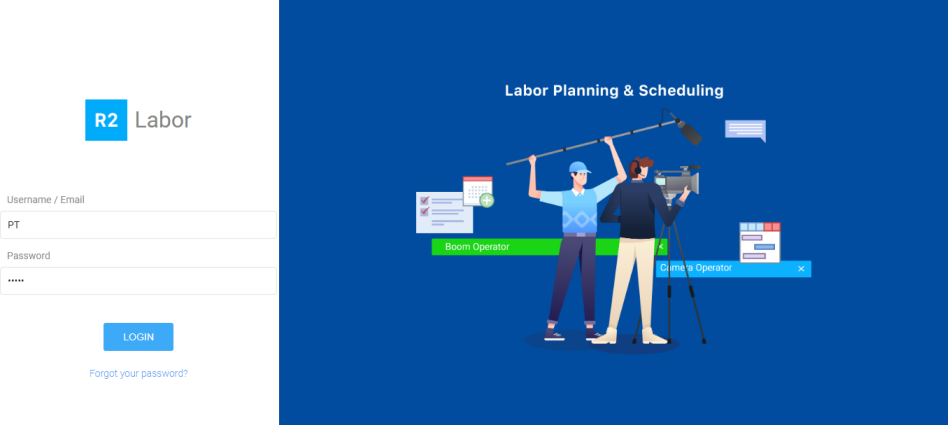
Open the Labor application.
Provide the user name and password in the respective fields.
Click the Login button.
After logging you will be directed to the dashboard.
The landing page of Labor serves as a 'Dashboard' as well.
It is control center for all the functionalities.
Calendar, Notifications, Recent Activity, Main Menu are accessible from here.
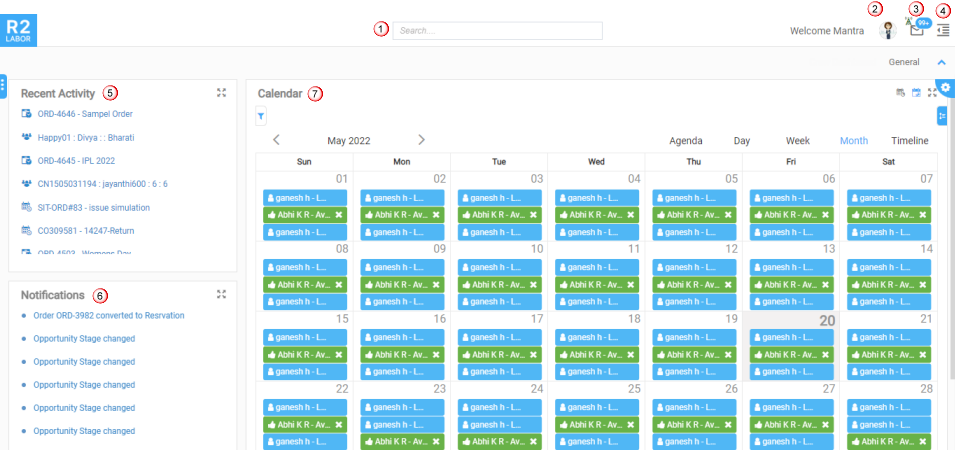
Search: To search the orders, crew within the Labor application.
Profile: To view your profile, and reset password.
Mail box: Serves as an inbox where you can see the received e-mails.
Main menu: Provides the access to plan the orders, e-mails, widget settings, configuration, etc., More..
Recent activity: Lists all recently opened crew profiles, planning orders or timesheets. Each item is an hyperlink which opens the crew profile, planning order or timesheet. The Recent Activity can also be expanded by a click on the ‘expand’ icon.
Notifications: Lists all incoming notifications for any job that has been assigned to you. Notifications included changes to status, date changes, deleted positions, and other messages. These notifications are displayed as hyperlink which links to that job or message.
Calendar: Shows all the appointments/assignments the Planner is assigned to and the task given to the crew by Planner. Know more?

The Main menu is on the top right corner of the window.
It has three sub-menu— Planning, Manage, and Configuration.
Orders: Gives access to all 'Search Orders' window where you can search and open the order through Planning Order, Whiteboard, Graphical Scheduling interface.
Crew: Create, edit, and perform other Crew's assignment related functions from here. More..
Timesheet: View, create, edit timesheets from here .
Clock
In and Out: View and extract the 'In' and 'Out' time
clocked by the resource against the specific job.
My Schedules: List of pre-schedules which are configured to run when an e-mail is being triggered.
Data Source Conditions: List of data source conditions created for the rules to trigger.
Rules: These are pre-configured triggers that happen based on the data source conditions and schedules defined.
My events: You can subscribe/unsubscribe to rules.
User Defines Keyword: Fields and keywords along with their values or formula based on which system calculates them.
E-mails: Lists all e-mail communications between the user and external contacts.
Widget Settings: Configuration settings for all chart type widgets.
Pay Policy: To define the 'Pay Policy Unit' for the resource types.
Per diem Management: To create the per diem details for the resource types.