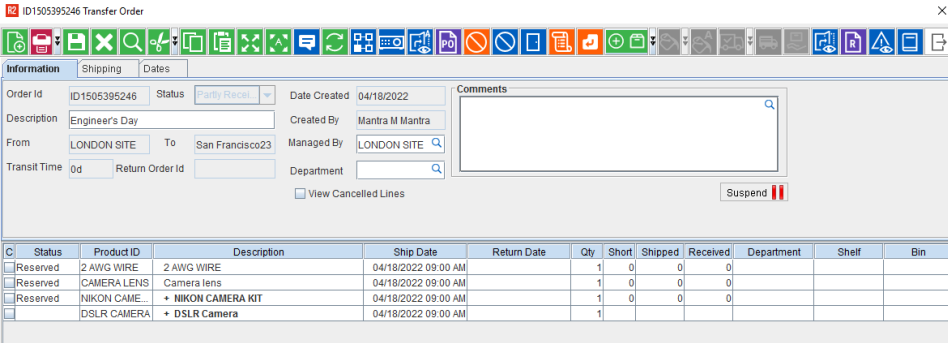
A transfer order, when opened from the To Site, will be of Type T-In. Items that have been filled and dispatched on the transfer order from the From Site can be received in the To Site.
Illustration: The transfer order shown below is to transfer items from Site - London to Site - San Francisco. As this transfer order is opened from Site - B, it is of type T-In. You can receive the items using the Receive Items button. Fill Items and Despatch All buttons are disabled as shown here, as items cannot be received to the From Site.
In the Transfer window search for Transfer In orders. A list of Transfer Orders displays.
Double click on the order you wish to receive items on. The Transfer Order window displays.
Click Receive. The Transfer Receive dialog displays.
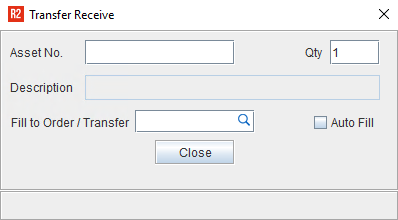
Type the Asset Id and click Ok. The Transfer Fill dialog closes.
Repeat steps 4 and 5 for any additional items on the Transfer Order.