Figure 1.0: Asset edit window
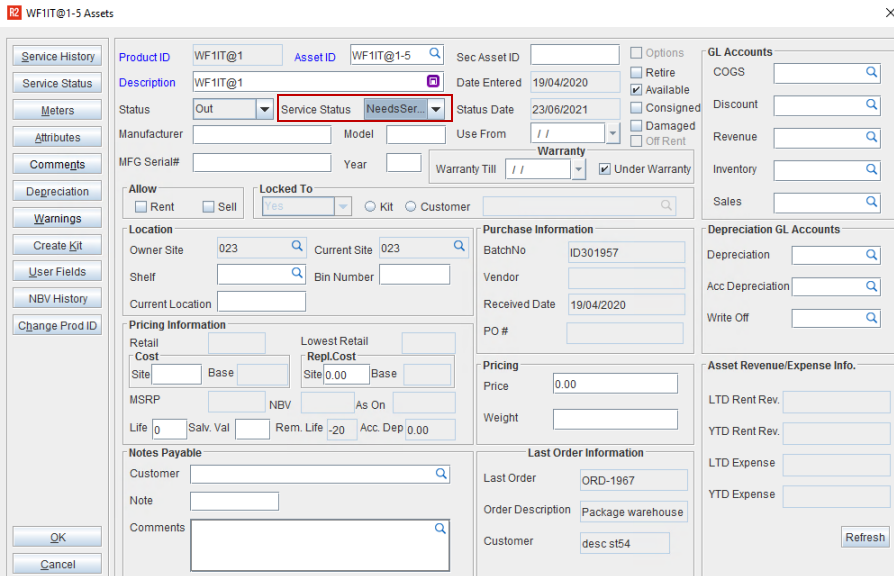
On clicking the Generate Needs Service icon, you can flag the Assets as Needs Service The Assets will be flagged as Needs Service only if it is scheduled for maintenance and if it satisfies the conditions defined in the Maintenance Group > Schedules definition that is tagged to the item in the Item edit window.
On successfully marking an asset as Need Service system will prompt a message 'Generate Needs Service successful'.
Assets can be scheduled for maintenance based on the type that is set in Maintenance Group > Schedules, listed below are the different types:
Periodic: Assets can be scheduled for Maintenance based on the interval between one service to another
Times Rented: Assets can be scheduled for Maintenance based on number of times an Asset has been rented on Orders, from one service to another.
Duration Rented: Assets can be scheduled for Maintenance based on duration for which it was rented on an Orders, from one service to another.
Meter Reading: Assets can be scheduled for Maintenance based interval of meter reading value on the Asset between one service to another.
For more details on Scheduling Assets for Service click here.