Content was last updated in 06.22.05-00
You now have an option to assign/modify the dates for multiple booking lines in one go through Assign Dates feature.
Since we allowed to assign the dates for multiple booking lines, there are few restrictions when dates are being modified since the booking line properties differ from one booking line to other like Resource type (picks resource type based on the resource), Unit, and Pay policy.
When single booking line is selected for modification
The existing EWTs displays for you to modify further.
The 'Unit' is picked for the EWT line based on the 'Resource Type' and the RT/DT/OT distribution happens based on the 'Unit' and 'Pay policy' set for the booking line.
When multiple booking lines are selected for modification
Since multiple booking lines selected, you will not see any existing EWTs and the split action is disabled but the line data updates as per the modification for the booking lines
When EWTs are modified, the 'Unit' is picked for the EWTs based on the Resource Type and RT/OT/DT distribution happens based on the 'Unit' set and Pay policy of the booking line.
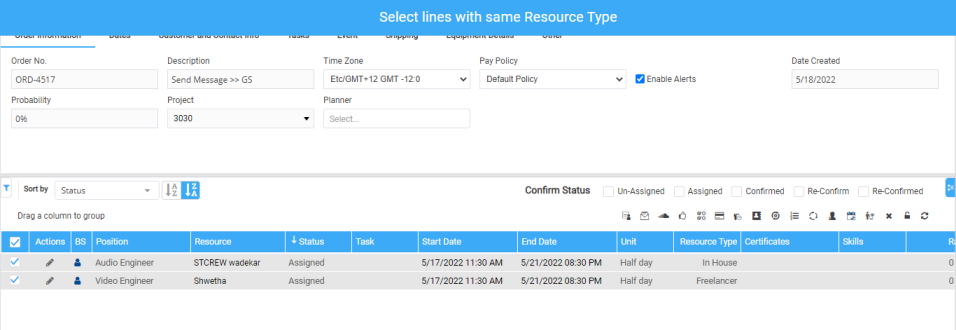
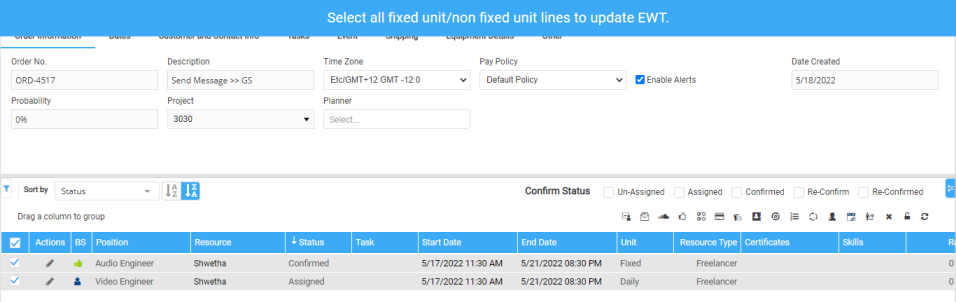
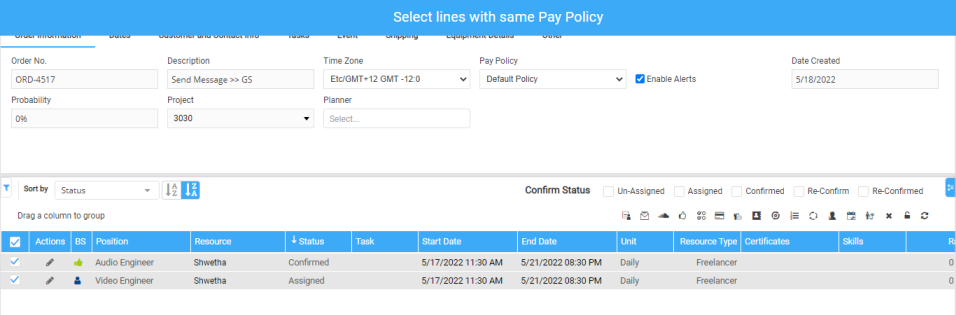
Every booking line has different properties like Resource type (picks resource type based on the resource), Unit, Pay policy etc., which defines Unit to be picked on the EWT. In such cases, system restricts updating EWTs as shown below.
If selected lines 'Unit' is same either fixed or other than fixed (Hourly, Daily, Half Day etc.,)
If selected lines 'Unit', 'Resource Type', and 'Pay Policy' is same.
If selected lines 'Unit' is a combination of Fixed and Other than Fixed unit. System errors out even though the 'Resource type' is same.
If the selected lines 'Unit' and 'Resource Type' is same and Pay Policy is different.
If the selected lines Resource type is different.