Content was last updated in 06.01.03-00
Support has been added in R2 CRM, for the assignee to be notified with an email alert whenever an activity (task) within an R2 order is assigned to them.
Following three types of rules can be configured.
To configure and define each of the rules, Go to R2Labor > Manage > Rules > Create, and Add all the relevant details. Click Save.
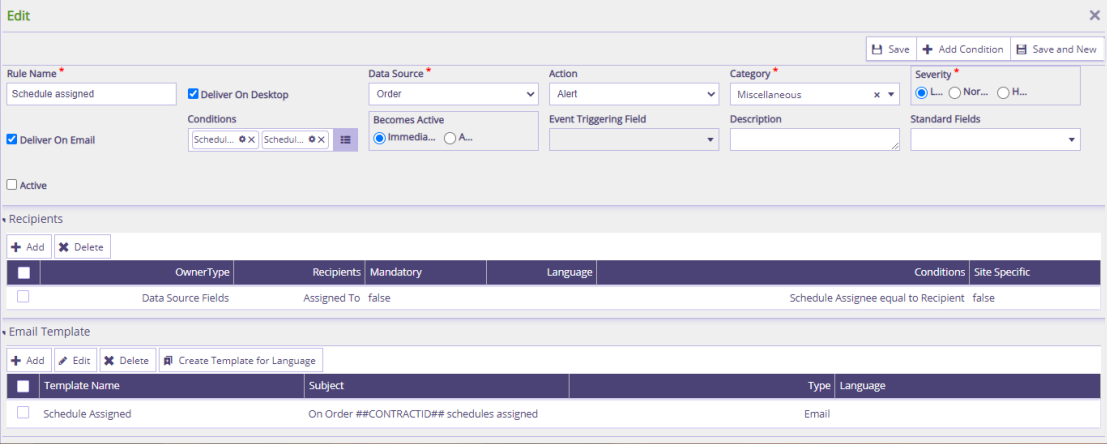
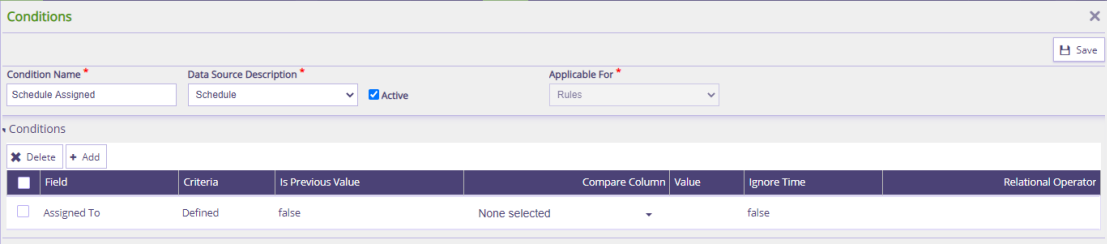
To alert an employee, whenever assigned to an activity (task) within an Order.
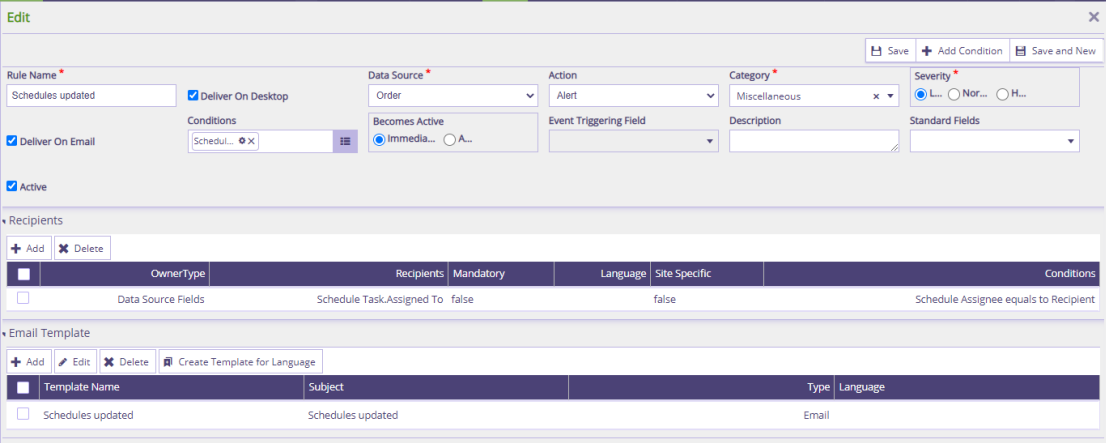
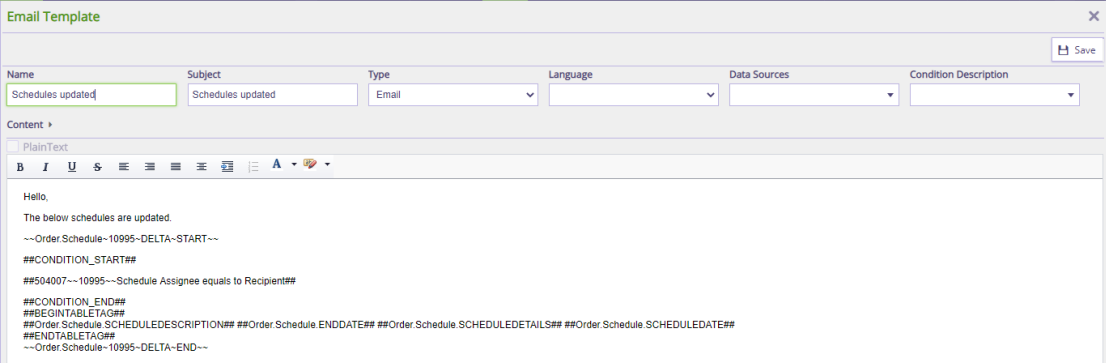
To alert an employee, whenever the assigned activity (task) within an Order is updated.
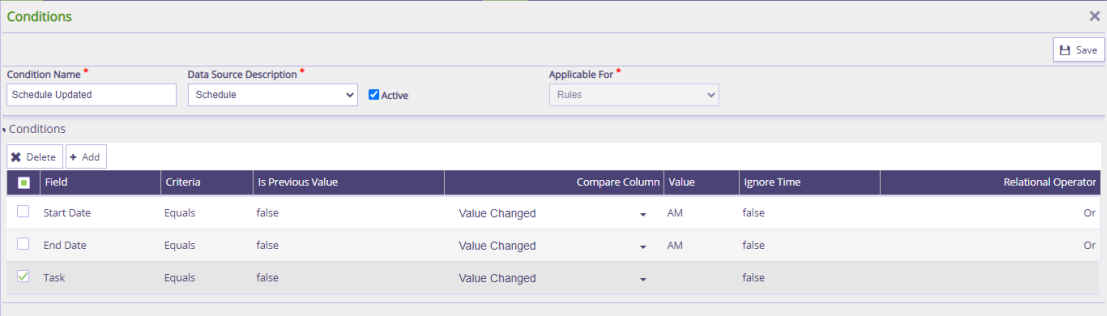
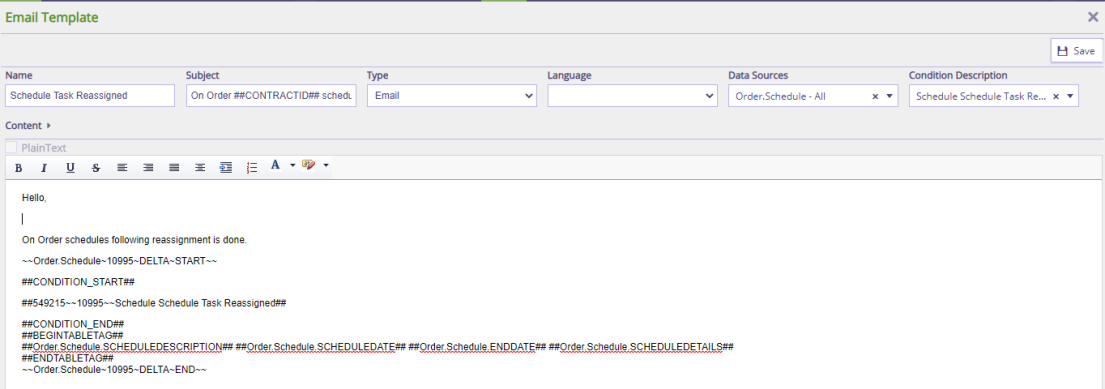
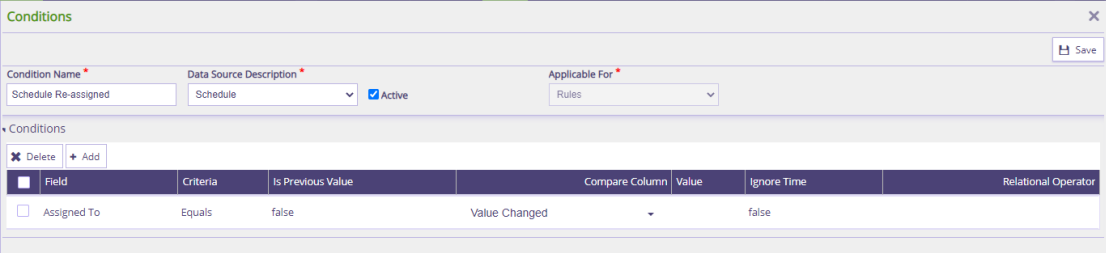
To alert the 'new employee', Whenever an existing activity (task) is reassigned to another employee.
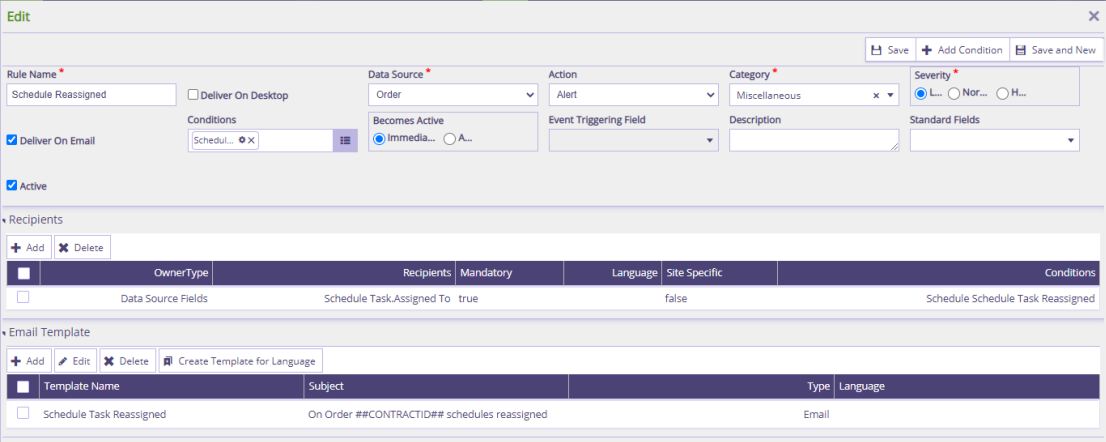
Go to Edit Order > Activity > Create a task > Select ‘Assigned To’ Employee > Add Task Details.
As the rule would already be configured, an alert is triggered to the assigned employee, informing about the assignment of a task.
Similarly, you can edit an existing task - Change details or assign it to a different employee, and system will trigger the applicable rule and send an alert.
When An Employee Is Assigned To An Activity (task) Within An Order.
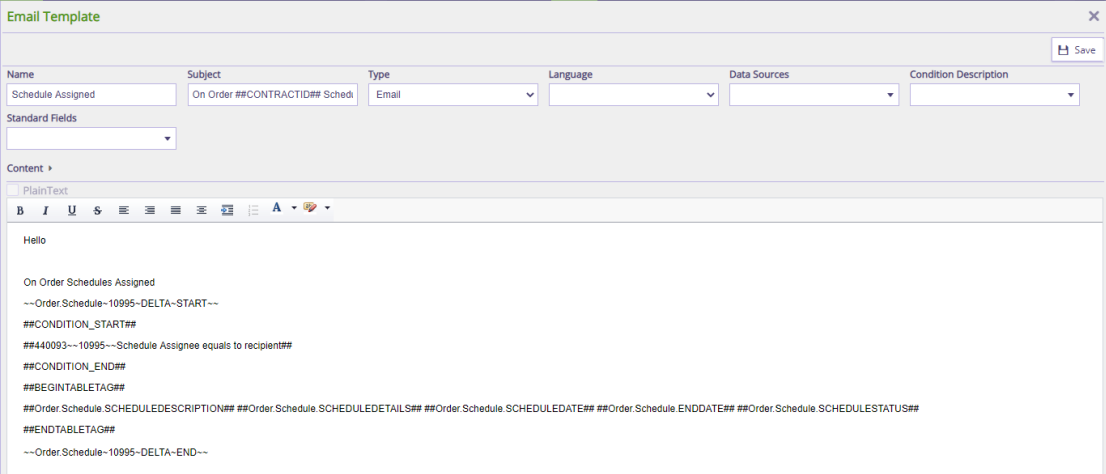
When The An Activity (task) Assigned To An Employee Is Modified.
When The Activity (task) Is Reassigned To Another Employee.