Content was last updated in 06.01.03-00
Support has been added in R2Labor and in R2, to have the concerned teams/personal intimated when an opportunity created in R2 CRM module is synced into R2 as a Project, so that Project Support team can start planning orders for that Project.
R2 CRM users create opportunity, fill in mandatory details and select the Synchronize R2 field, as shown below and saves the opportunity and then the alert is triggered to the recipients in the rules configured for the same:
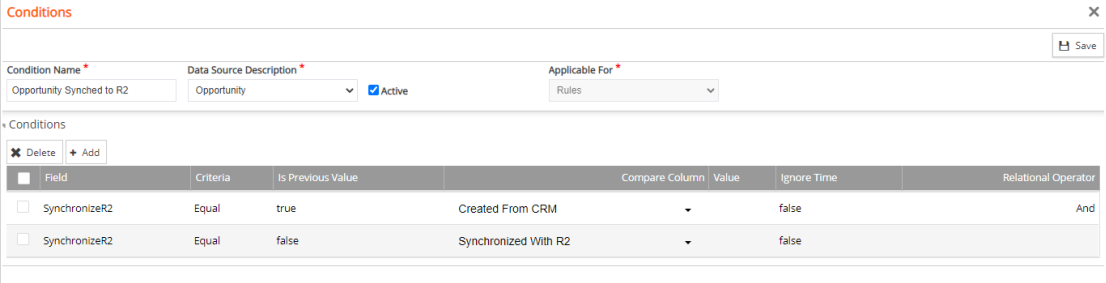
For an example of the rule, see Prerequiste
Functionality Covered
Opportunity saved with "Synchronize to R2" checked should send an email notification to the concerned recipients in the rules configured for the same.
This notification should be triggered only once when a new opportunity is pushed to R2.
Meaning:
Whenever 'Synchronize R2' is set as False to True and Opportunity is saved, it should send notifications.
When the user modifies any details in an opportunity (which already has 'Synchronize R2' is set to True) and saves it, NO Notification is sent.
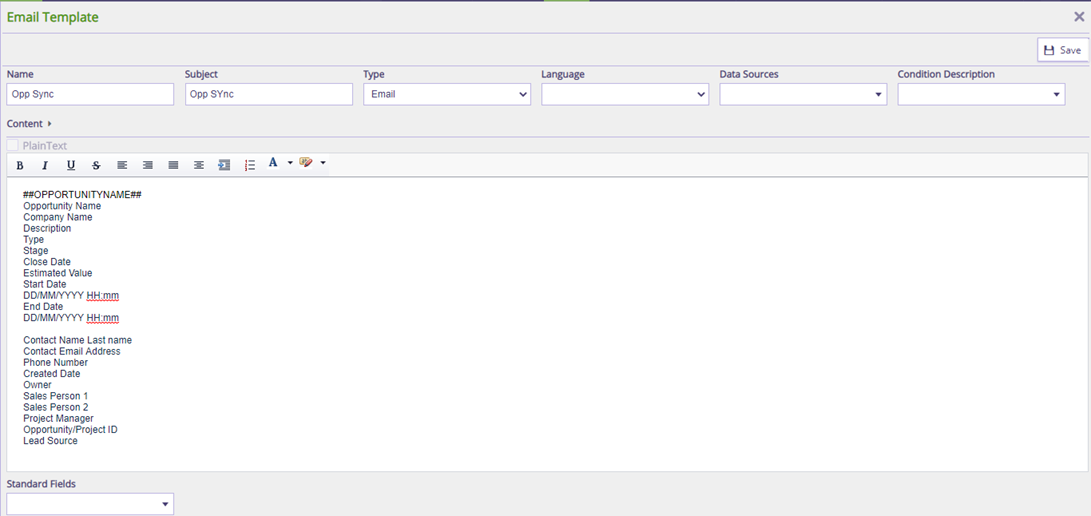
Alert Email Template can have the following opportunity details.
Opportunity Name
Company Name
Description
Type
Stage
Close Date
Estimated Value
Start Date (DD/MM/YYYY HH:mm)
End Date (DD/MM/YYYY HH:mm)
Business units (UDF)
Service Lines (UDF)
Contact Name Last name
Contact Email Address
Phone Number
Created Date
Owner
Sales Person 1
Sales Person 2
Project Manager
Opportunity/Project ID
Lead Source
The rule that triggers the alert should be pre-configured in the system.
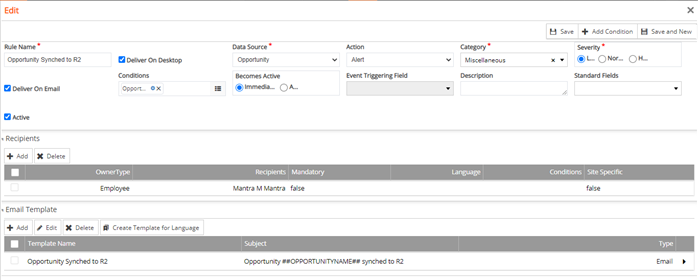
Sample Workflow
Go to R2Labor > CRM > Opportunity > Create > Fill-in the necessary fields and Select the Synchronize R2 field
|
|
