Content was last updated in 06.01.03-00
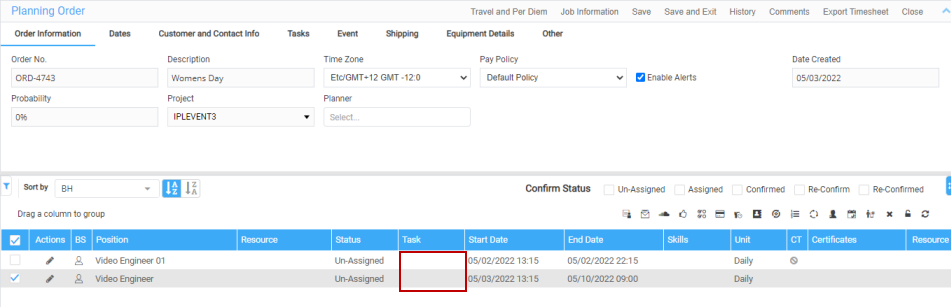
You can now clear the task tagged on the booking line when the EWT is split.
Previously, when the Task description is still on the labor line and user splits the EWT, system was not updating the task description for all the EWT split lines. As per the new enhancement, system clears all the task description for the particular labor line and also the split lines.
System disables the split icon when the user updates multiple lines EWT through ’Update lines’ option.
Create an Order in R2.
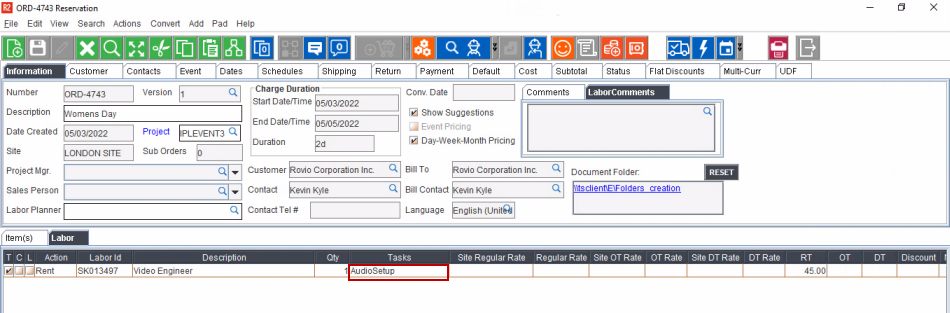
Define the tasks in the Schedules tab along with EWT tasks for the labor positions.
 |
|
In labor application, open the order and the task displays in the booking line.
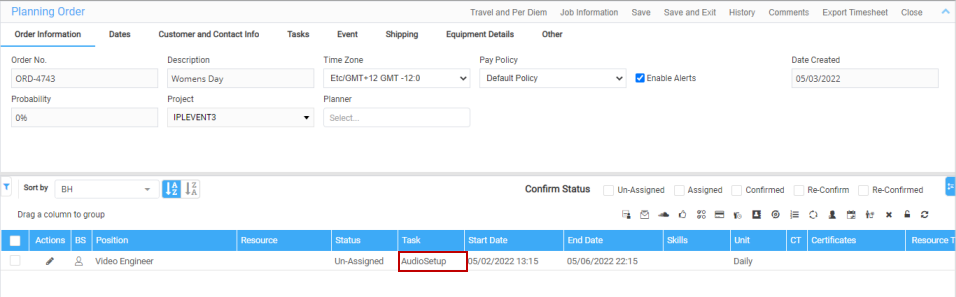
Select the Booking line, click pencil icon under 'Actions' column and choose Assign Dates.
Select lines (required) and then click the Split icon.
Once the EWT lines are split, the task description in the booking line will be cleared.