Send availability request to the resource
Content was last updated in 06.01.04-00
Revision
History
Let's
understand 'Availability request' through an example:
You want to plan
a weekend road-trip with a group of friends. But before you chalk-out
the itinerary, you would want to know for sure, which of all of your buddies
are interested in this trip. So, you make send them a message, informing
them about your plan and inviting their interest. And then they, individually,
based on the own plans for the aforesaid weekend, either would accept
or decline the invite.
The communication
you send to them, is what we call in R2Labor as Availability
Request.
In our Labor application,
you can send the Availability request
to the Resource for a specific dates or jobs.
You can also send
the availability request to multiple booking lines at one go.
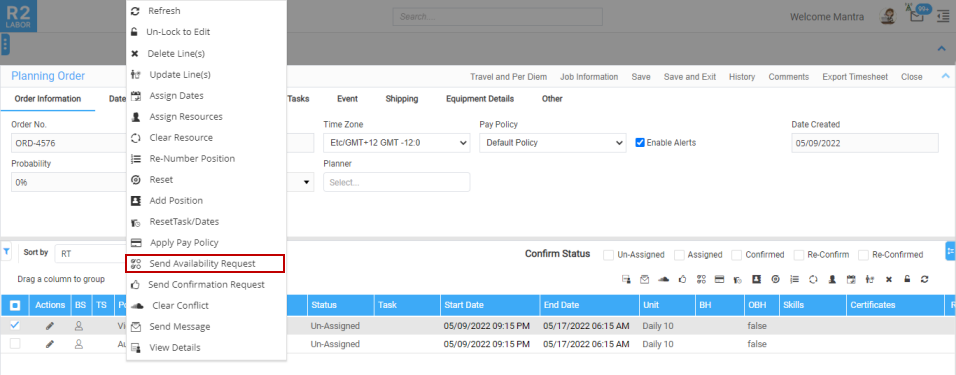
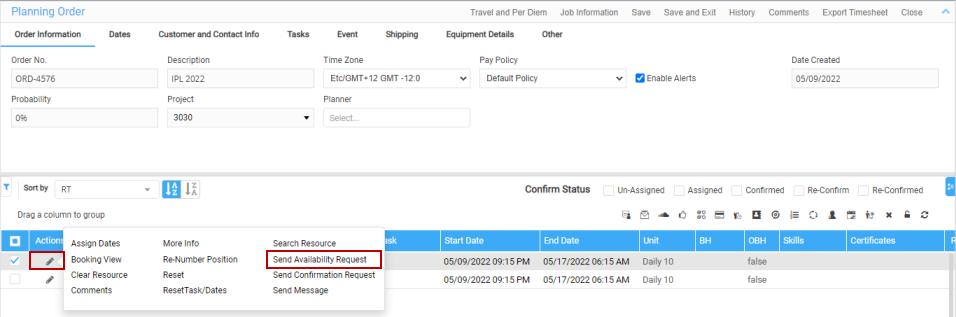
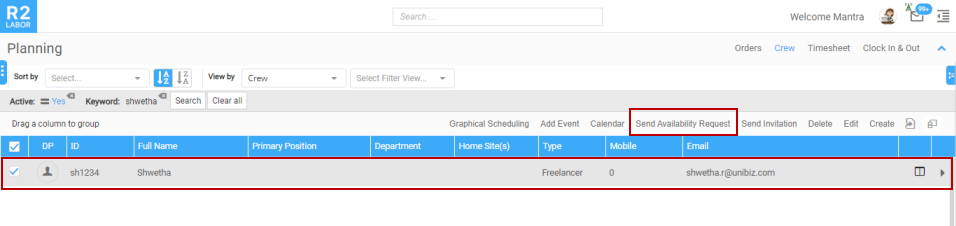
You can access from:
How to send availability request to the resource?
Before you begin,
Create
the below Resource Availability Request response template:
Workflow
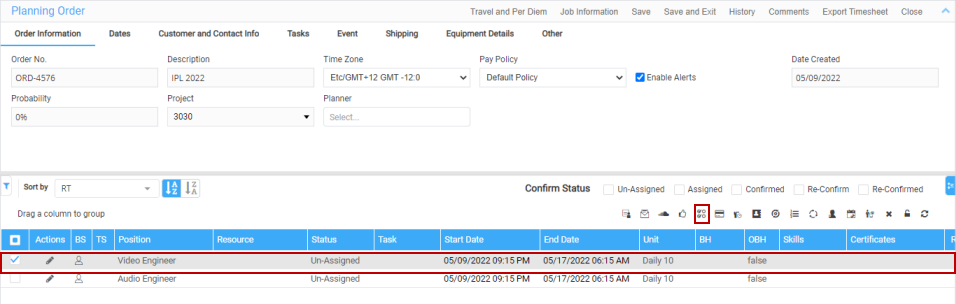
Open the Order in Planning Order.
Figure 1.0: Planning
Order

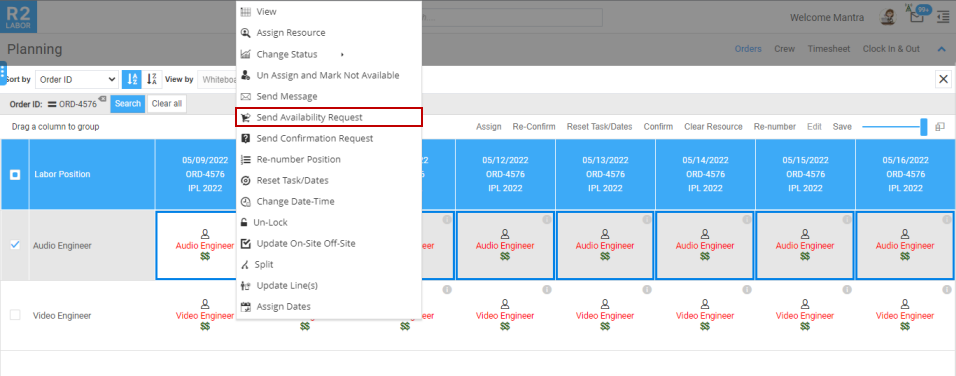
Select the Booking line and click the
Send Availability request icon. You can select multiple booking lines
as well.
Figure
1.1: Availability request icon

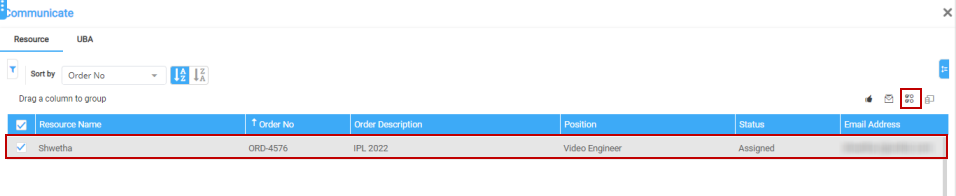
Send Availability window displays.
Click
Expand to view the full window.
Figure 1.2: Send
availability window

Add the recipient in 'To' field.
You
can tag multiple resource also and a preview of the request is displayed.
Figure 1.3: Add Recipients

Click Send
button.
Then save the order so the request
will be sent to the recipient.
An
e-mail will be triggered to the tagged recipients. Upon the crew response,
you will receive the e-mail of their response and the e-mail sits in the
mail box in application as shown below. Based on the response, you can
assign the job to the required resource.
Also,
the Calendar for the
respective resource is marked either with 'Available' or 'Not
Available' in time
bar based on the response.
Figure 1.4: Response
e-mail

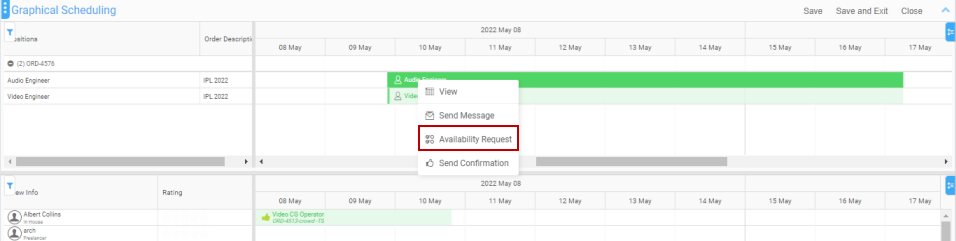
The
same way, you can send the request from the other access points as well.