Synchronization of Events between Calendars
Content was last updated in 06.00.04-00
The Outlook users can now synchronize Events between their personal E-mail id and R2 Labor Calendar.
The below Sample Workflow explains the above functionality:
Scenario 1:
Login to personal mail id using MS Outlook.
Create an Event in the Calendar.
Open R2 Labor application.
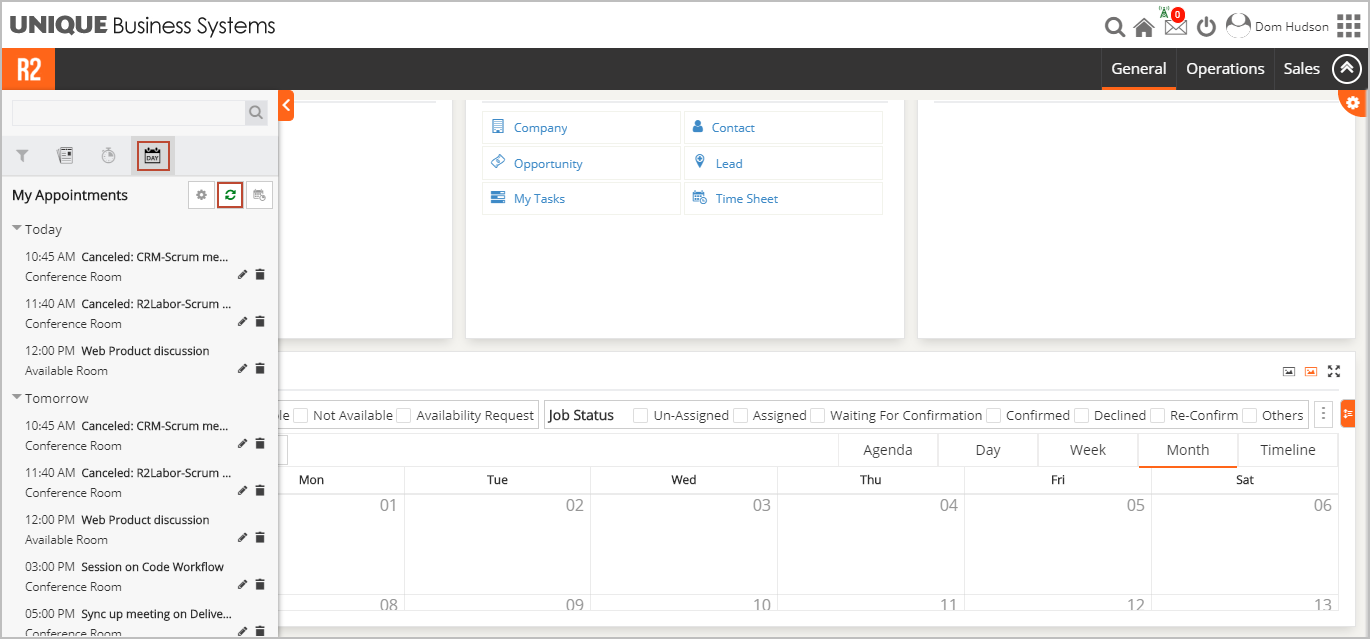
Select Side Bar > Appointments button > click Refresh icon. The Events from personal mail id to R2 Labor Calendar is synchronized.
Scenario 2:
Login to R2 Labor application.
Click Side Bar in R2 Labor Dashboard.
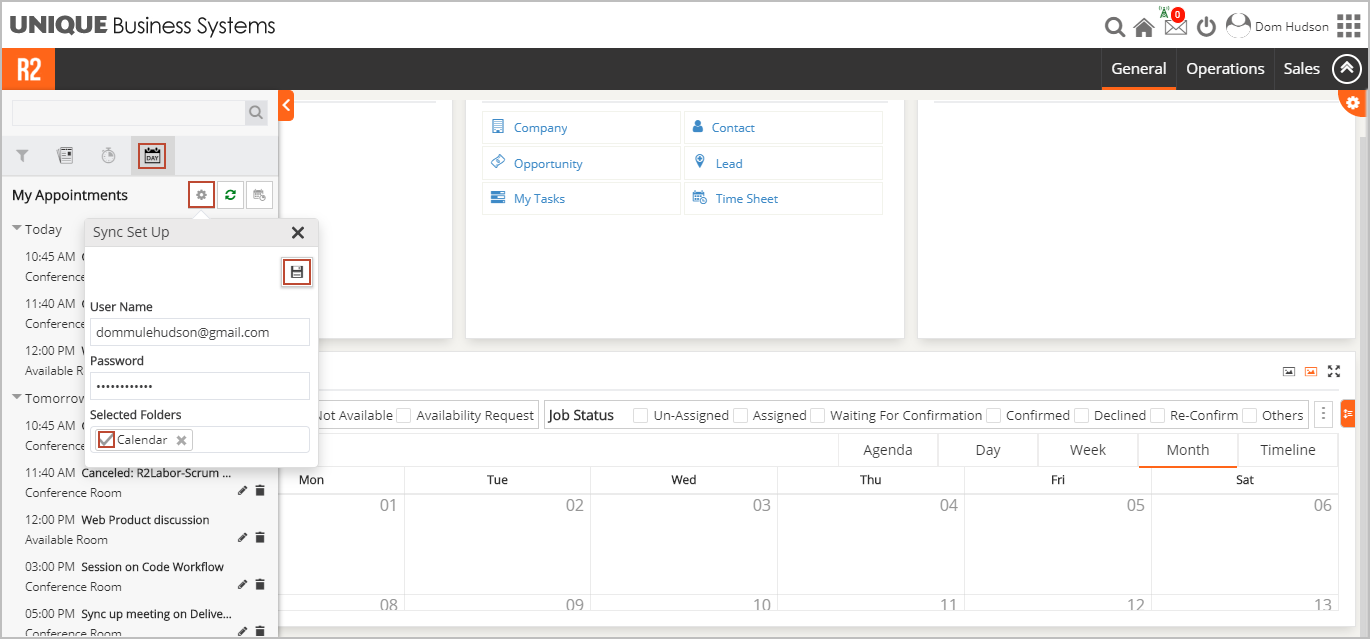
Click Appointments button > Settings icon > The Sync Set Up pop-up is displayed.
Enter User Name and Password > select Folders to sync > click Save icon. Saved Successfully message is displayed. The Events from R2 Labor to personal mail id Calendar is synchronized.