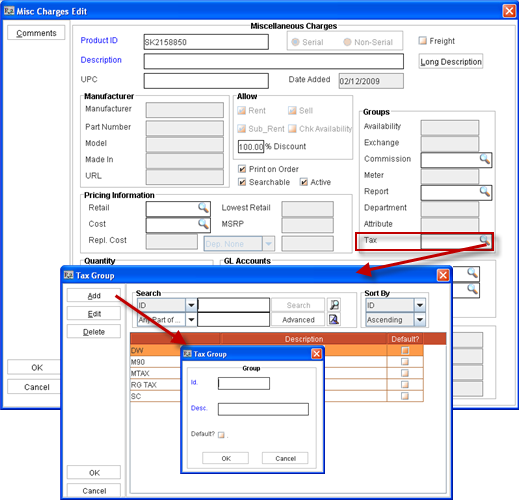
Figure 1.0: Misc Charges edit window
Content was last updated in 06.22.01-00
In R2, taxes for Service Charge, Damage Waiver, and Consumables can be applied with the following steps
Define Misc Charges for Service Charge , Damage Waiver and Consumables.
Define Tax Area with region and Item Group for Service Charge, Damage Waiver, and Consumables with action set as Default.
Define Tax Groups and tag to the respective misc charges definition (created for Service Charge, Damage Waiver, and Consumables).
This can be done from within the Tax Group Dialog box which can be invoked from Misc. Charge edit window by clicking on the Tax Group Import button. Illustration
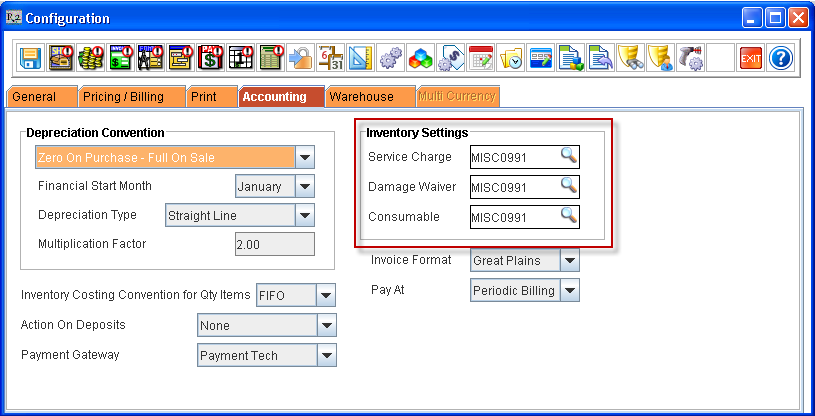
Tag the Misc Charge definitions created for Service Charge, Damage Waiver, and Consumables in the Inventory Settings of Configuration > Account Tab respectively.
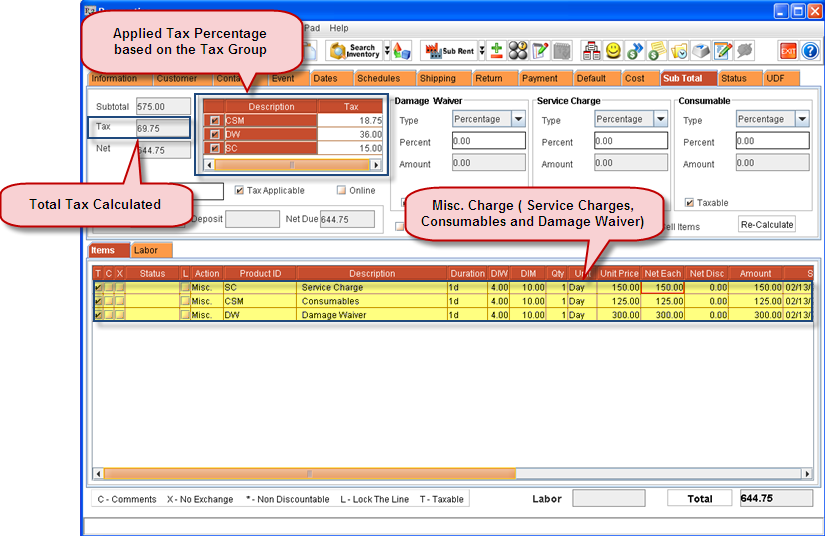
In an Order, Add the Service Charge, Damage Waiver, and Consumables (Misc Charge definitions)
In Order, Tax the Region for which the Tax Schedules are created for Service Charge, Damage Waiver and Consumables in the Region Field of Shipping Tab.
Verify the tax calculated in the Sub Total tab of the Order.