Reference No: 29465
There are some changes been made and are replaced with new options in the following cases.
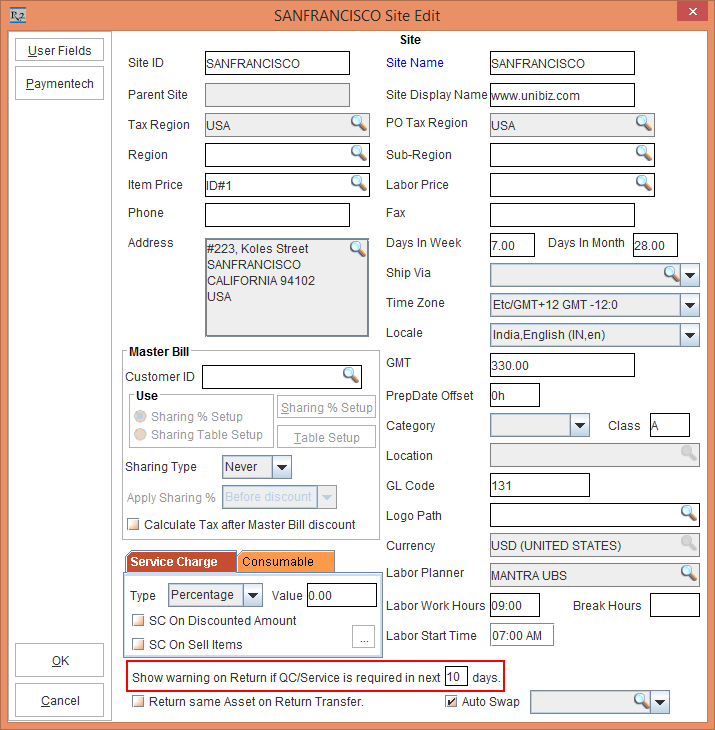
Open the Site Edit window, in the section that says, Show warning on Return if QC/Service is required in next __ days. is not specific to Order. This is shown in the Figure 1.0.
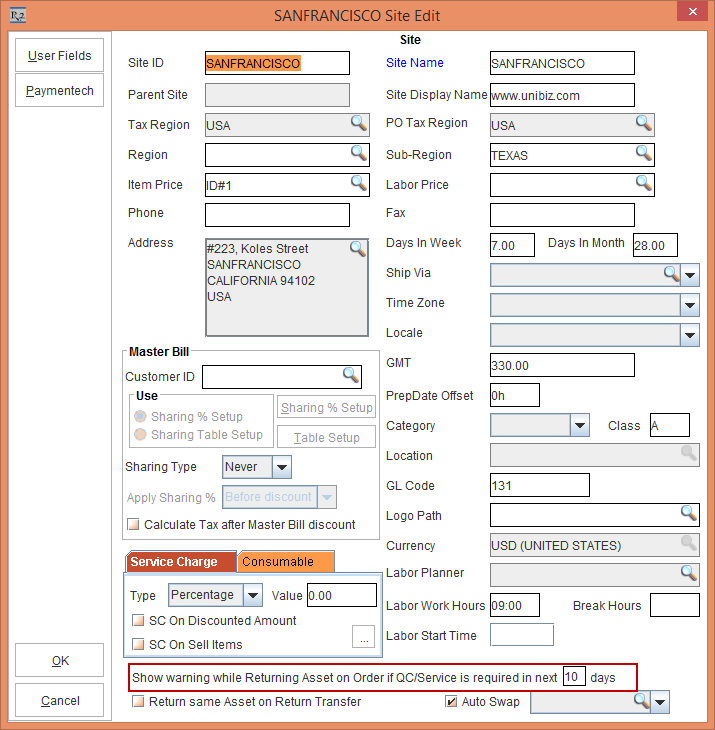
Open the Site Edit window, in the section that says,Show warning on Returning Asset on Order if QC/Service is required in next __ days. is specific to Order. This is shown in the Figure 1.1.
While filling a QC Asset, if the Employee is not authorized, an Approve Fill prompt is displayed for authorization. When the Close button is clicked, the system closes the dialog even if the User ID, Password and Remarks are not entered.
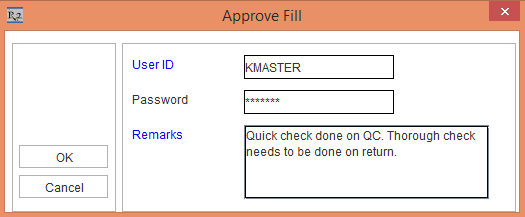
While filling a QC Asset, if the Employee is not authorized, an Approve Fill prompt is displayed for authorization. When the Close button is clicked, the system does not perform any operation in the Approve Fill Dialog until the User ID, Password and Remarks are entered.
When an Asset is due for Service and a prompt is displayed while filling an Asset having Schedules expired. This is, as shown in the Figure 3.0
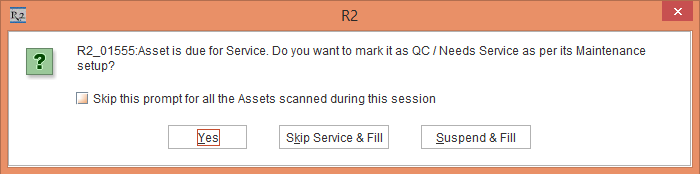
When an Asset is due for Service and a prompt is displayed while filling an Asset having Schedules expired. A new button Do Nothing is added to perform no Asset filling. This is, as shown in the Figure 3.1.
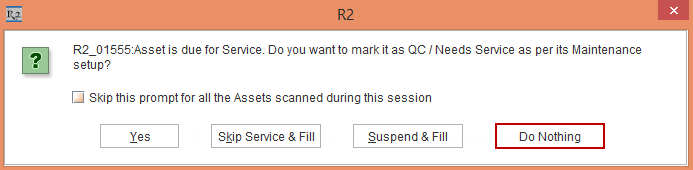
Also, when the Close button is clicked, the system does not perform any operation until an option is selected.
To understand how PAT Testing works, click here.